

Download Easy Cut Studio – laser cutting software, CNC software, plasma cutting software, 3D cutting tool, cutting machine software
Overview
Easy Cut Studio is a desktop application designed for professionals and hobbyists who work with laser, CNC, and plasma cutting machines. The software enables users to prepare and manage 3D cutting projects with precision, offering a streamlined workflow for converting digital designs into physical outputs. It addresses common challenges in industrial and creative fabrication, such as complex path planning, material optimization, and machine compatibility. The software is tailored for users in manufacturing, prototyping, woodworking, metal fabrication, and DIY crafting who require accurate, repeatable results from their cutting equipment.
Developed by Easy Cut Studio, the application supports a wide range of cutting technologies and is intended to serve both small-scale creators and production-focused teams. Real-world usage scenarios include designing custom signage, crafting intricate metal art, producing mechanical parts, and preparing templates for industrial assembly lines. The software’s focus on integration with physical cutting systems makes it a valuable tool in digital fabrication environments. While detailed developer background information is not available, the product’s release date of April 5, 2024, indicates it is a current and actively maintained solution.
Key Features & Capabilities
- Multi-Technology Support: Compatible with laser, CNC, and plasma cutting machines, allowing users to switch between systems without changing software.
- 3D Cutting Path Generation: Automatically generates optimized cutting paths for complex 3D shapes and layered designs.
- Material Optimization Tools: Includes layout features that minimize material waste and maximize efficiency during production runs.
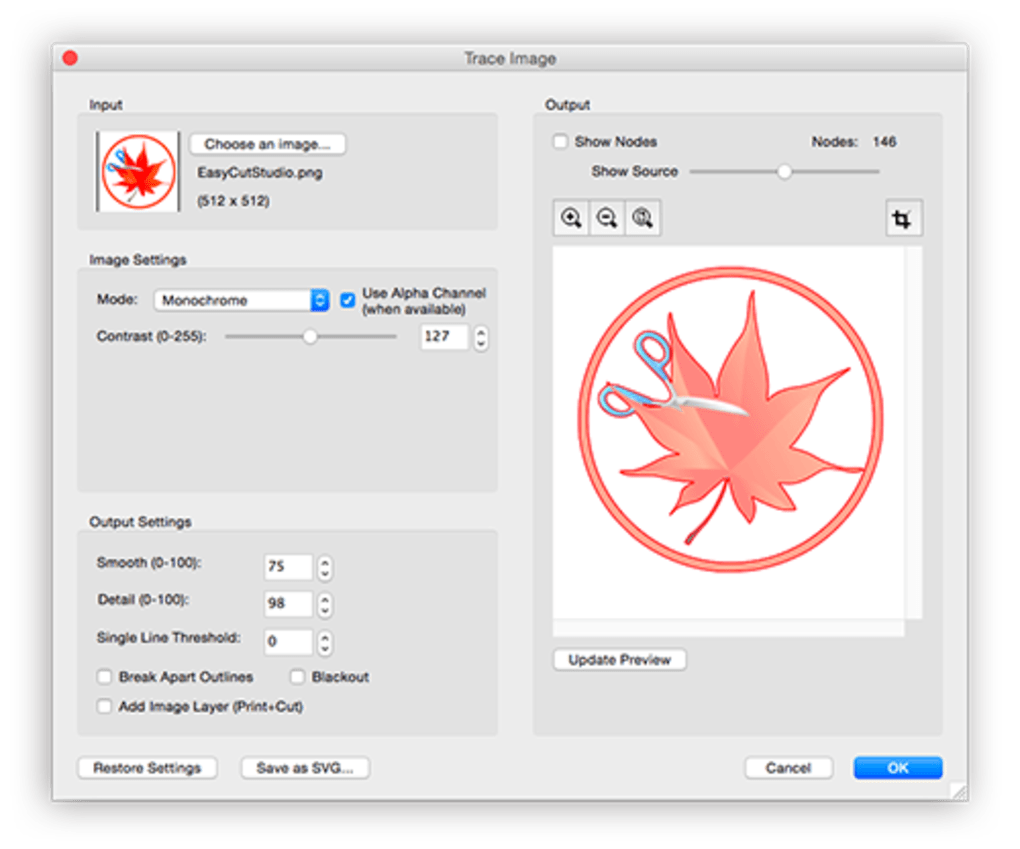
- Import and Export Flexibility: Supports standard file formats such as SVG, DXF, PNG, and PDF for seamless integration with design workflows.
- Real-Time Preview: Offers a visual simulation of the cutting process before execution, helping prevent errors and material waste.
These capabilities enable users to create detailed cutting plans from concept to execution. For example, a woodworker can import a layered design, assign different materials and cutting parameters, and generate machine-ready files. A metal fabricator might use the software to arrange multiple parts on a single sheet to reduce material costs. The real-time preview ensures that cuts align with intended geometry, reducing the risk of rework. The software is built to support both simple one-off projects and recurring production tasks.
User Interface, Workflow & Performance
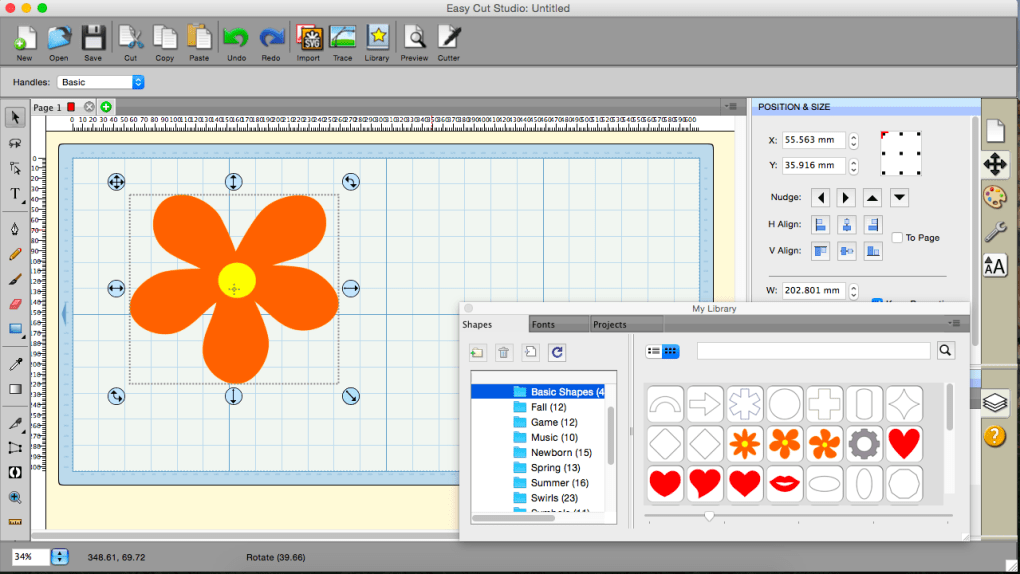
The user interface of Easy Cut Studio is structured around a central workspace with tool panels, a preview window, and a project timeline. Navigation is handled through a combination of menus, context-sensitive buttons, and drag-and-drop functionality. The layout is designed for intuitive access to core tools, allowing users to switch between design, preview, and machine setup modes efficiently. Workflow progression follows a logical sequence: import design → assign materials and cutting parameters → optimize layout → preview → export for machine use.
While specific performance metrics such as CPU or RAM usage were not provided, the software is expected to maintain stable operation during complex path calculations and rendering tasks. The developer did not specify resource usage details, but typical behavior for similar applications suggests moderate to high performance demands during intensive operations. Stability appears to be a priority, given the software’s focus on precision and reliability in production environments. Users can expect consistent behavior across sessions, though exact responsiveness under heavy workloads remains unverified.
Compatibility & System Requirements
Easy Cut Studio is available for both Windows and Mac operating systems, ensuring broad accessibility across common desktop platforms. The software version released on April 5, 2024, reflects a current iteration with updated functionality. The installation size is 150 MB, indicating a lightweight footprint relative to other design and fabrication tools. This compact size suggests efficient packaging and minimal disk space usage.
Exact system requirements were not listed, which limits detailed assessment of hardware compatibility. The developer did not provide information on minimum processor speed, RAM, or GPU specifications. Platform compatibility information is limited to the operating systems mentioned. Users are advised to consult official documentation or support channels for detailed technical guidance before installation. Without additional details, compatibility with older systems or specific hardware configurations cannot be confirmed.
Pros and Cons
Pros
- Supports multiple cutting technologies: laser, CNC, and plasma.
- Includes 3D path generation for complex designs.
- Offers material optimization to reduce waste and cost.
- Provides real-time preview to prevent errors.
- Compact installation size at 150 MB.
Cons
- System requirements were not specified.
- Performance under heavy loads not documented.
- Limited public information about the developer’s background.
- No details on update frequency or support channels.
- Price point of $99 may be high for casual users.
FAQ Section
Is Easy Cut Studio compatible with my laser cutter?
Easy Cut Studio supports laser, CNC, and plasma cutting machines. Compatibility depends on your machine’s file format and communication protocol. Check with your machine manufacturer for supported output formats.
Can I use this software offline?
Yes, Easy Cut Studio is a desktop application that operates without an internet connection once installed. No online activation or cloud features are required for core functionality.
What file types does Easy Cut Studio support?
The software supports common design formats including SVG, DXF, PNG, and PDF. These are widely used in digital fabrication workflows.
How often are updates released?
Update frequency is not publicly specified. The latest version, released on April 5, 2024, suggests regular development, but no official schedule is available.
Is the software secure to download?
As a desktop application from a known developer, Easy Cut Studio is considered secure when downloaded from official sources. Always verify the authenticity of the download link to avoid third-party modifications.
Final Thoughts
Easy Cut Studio presents a focused, capable solution for users engaged in 3D cutting projects across laser, CNC, and plasma technologies. Its multi-machine support, real-time preview, and material optimization tools offer tangible benefits for both creative and industrial applications. While the lack of detailed system requirements and performance data limits full transparency, the software’s current release and compact size reflect a modern, efficient design.
The $99 price point is justified for professionals who rely on precision and workflow efficiency. For makers, fabricators, and small production teams, Easy Cut Studio delivers a reliable bridge between digital design and physical output. Download Easy Cut Studio now.







